
https://docs.google.com/document/d/1IHKinbanZDINNJAihg3PXAH-mO9X7Lk_EeruK0Sw010/edit?tab=t.0
(For Staff ONLY)
https://koalaliving.com.au/design-house
(For Customer VIEW)
The customer-facing front end consists of two main areas: the Landing Page and the Booking Flow. Together, these allow customers to learn about the service, select an appointment, and manage their booking independently.
1. Landing Page
The landing page provides customers with all the information they need before making a booking. It includes:
Overview of design consultation services offered
Differences between the available service tiers
Consultation locations
FAQs related to design consultations
2. Booking Flow
The booking flow guides customers step by step through scheduling their consultation appointment.
The steps are as follows: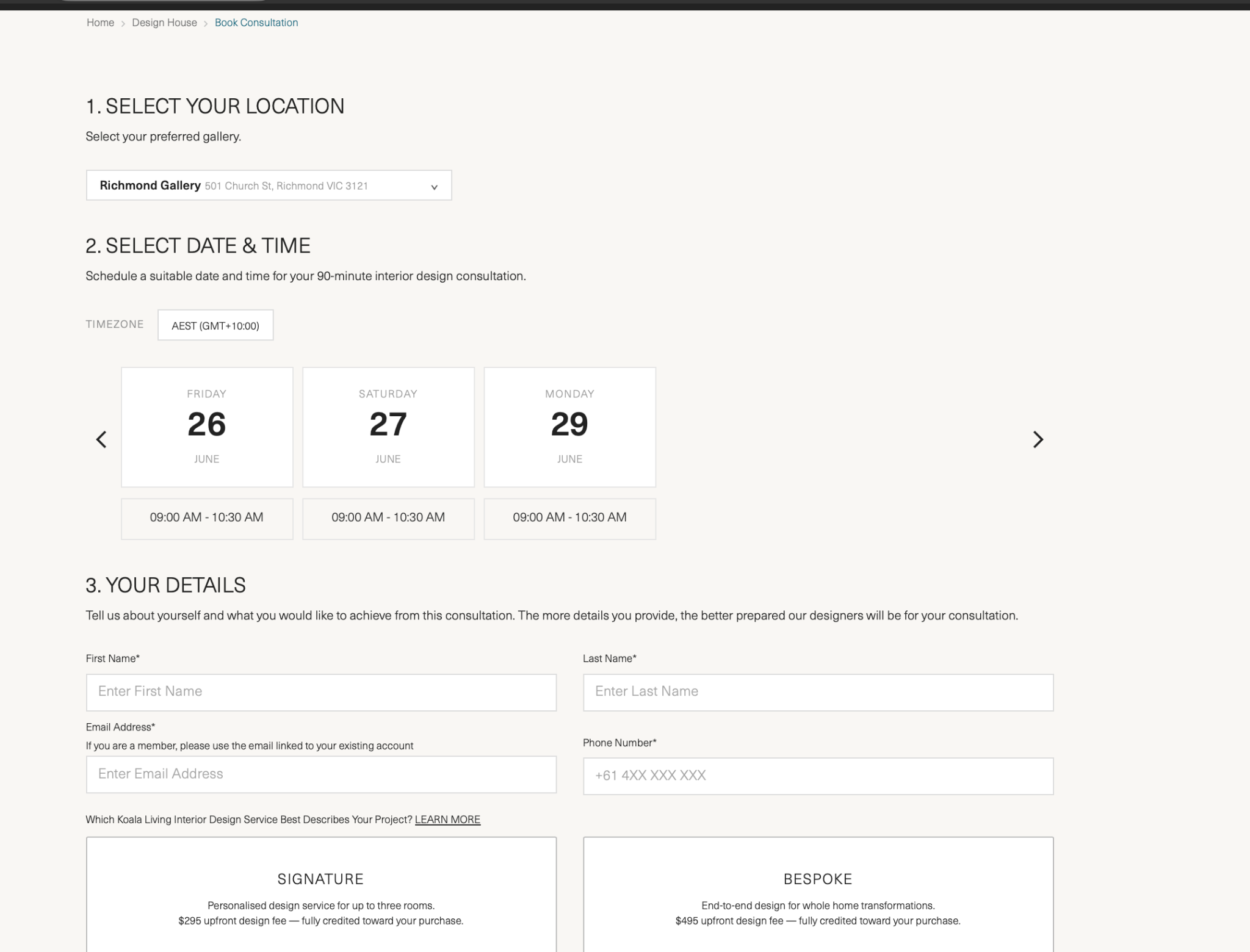
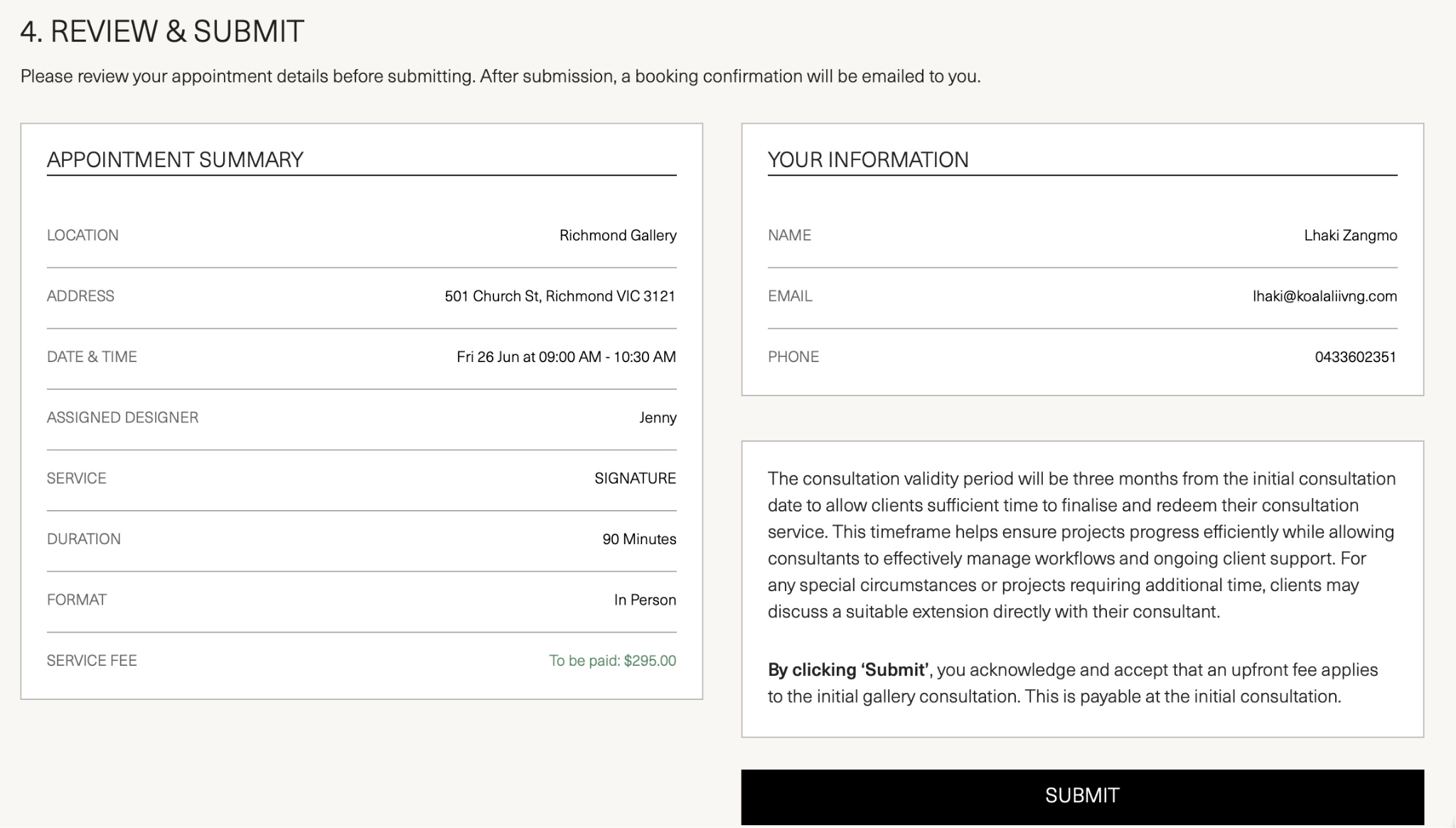
2.1 Assigned Designer
Based on the date and time selected by the customer, the system automatically identifies and displays the name of the designer who created that schedule. This assigned designer is shown directly in the booking form before the customer submits.
2.2 Additional Information Displayed in the Booking Form
The booking form also clearly communicates:
Duration of the appointment
Location of the consultation
Initial consultation fee requirement
3. Booking Confirmation
3.1 On-Screen Confirmation
Once the customer submits the booking form, a confirmation message is displayed immediately on the web page.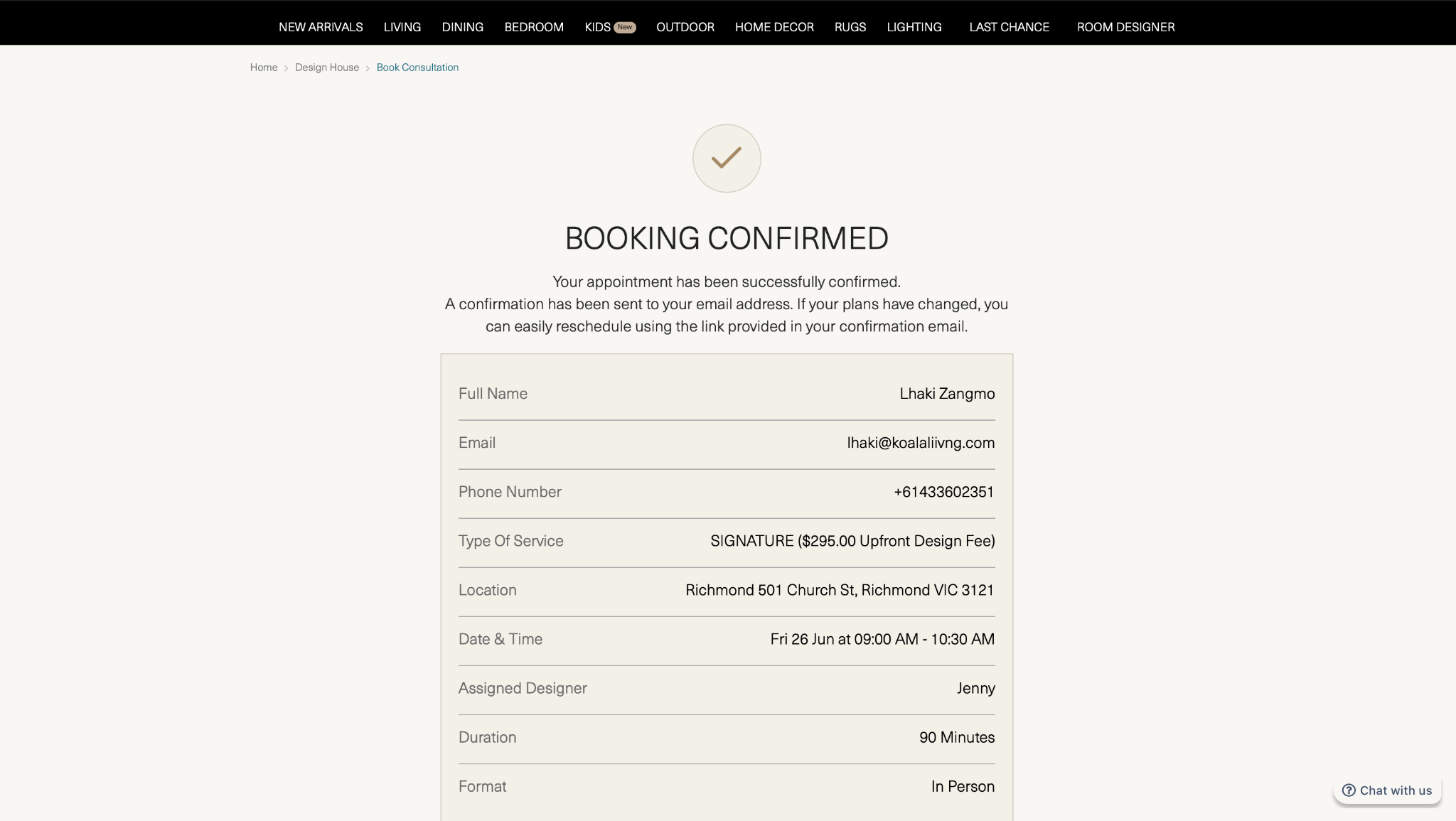
3.2 Email Confirmation
Following submission, two confirmation emails are automatically sent:
One to the customer's email address
One to the assigned designer's work email
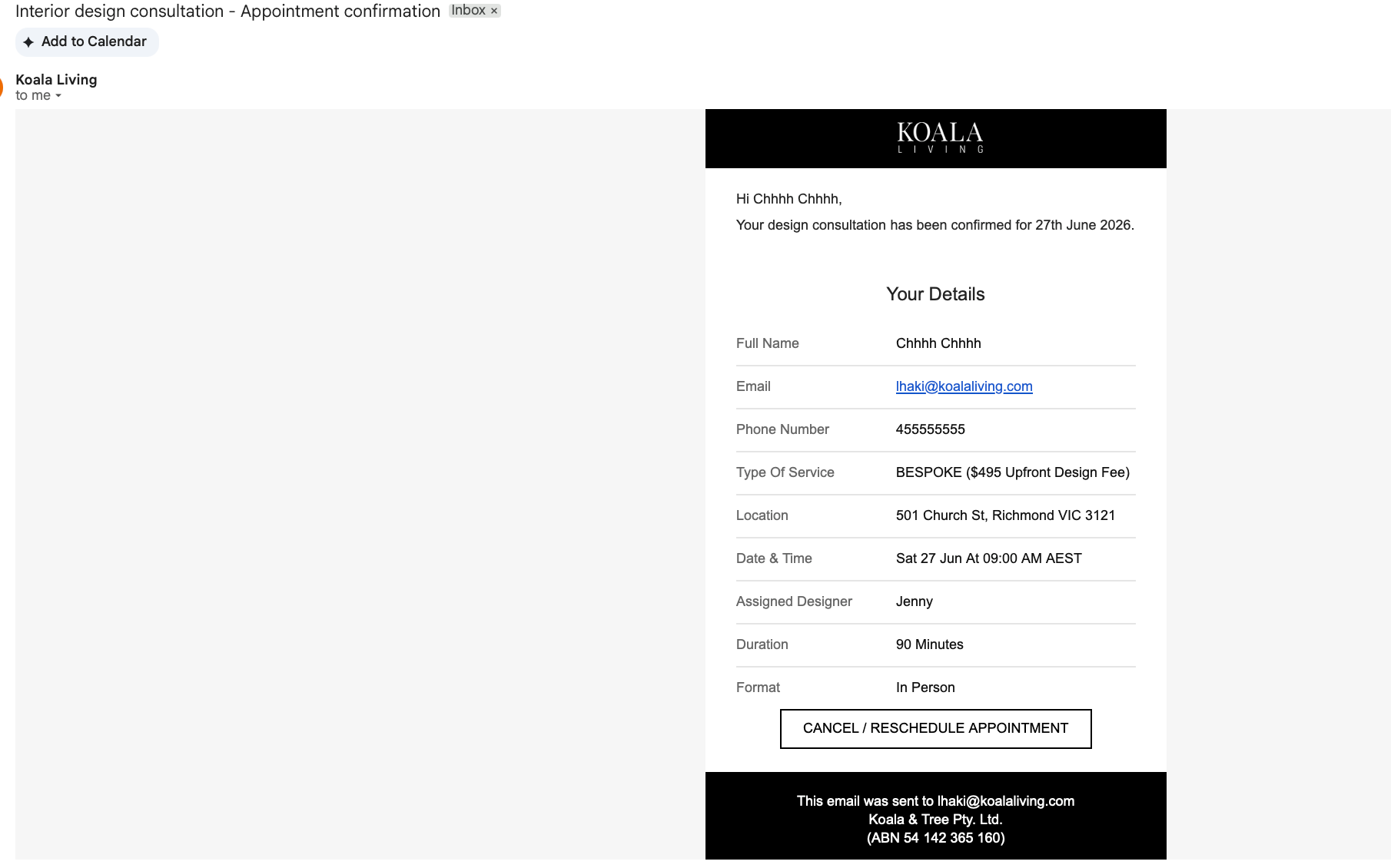
The confirmation email also contains a unique link that allows the customer to manage their booking
(reschedule or cancel).
4. Existing Booking Warning
If a customer attempts to make a new booking but already has an active booking in the system, the system will display a warning message on the booking page.
The warning message notifies the customer that they already have an existing booking and directs them to manage it via the link provided in their confirmation email.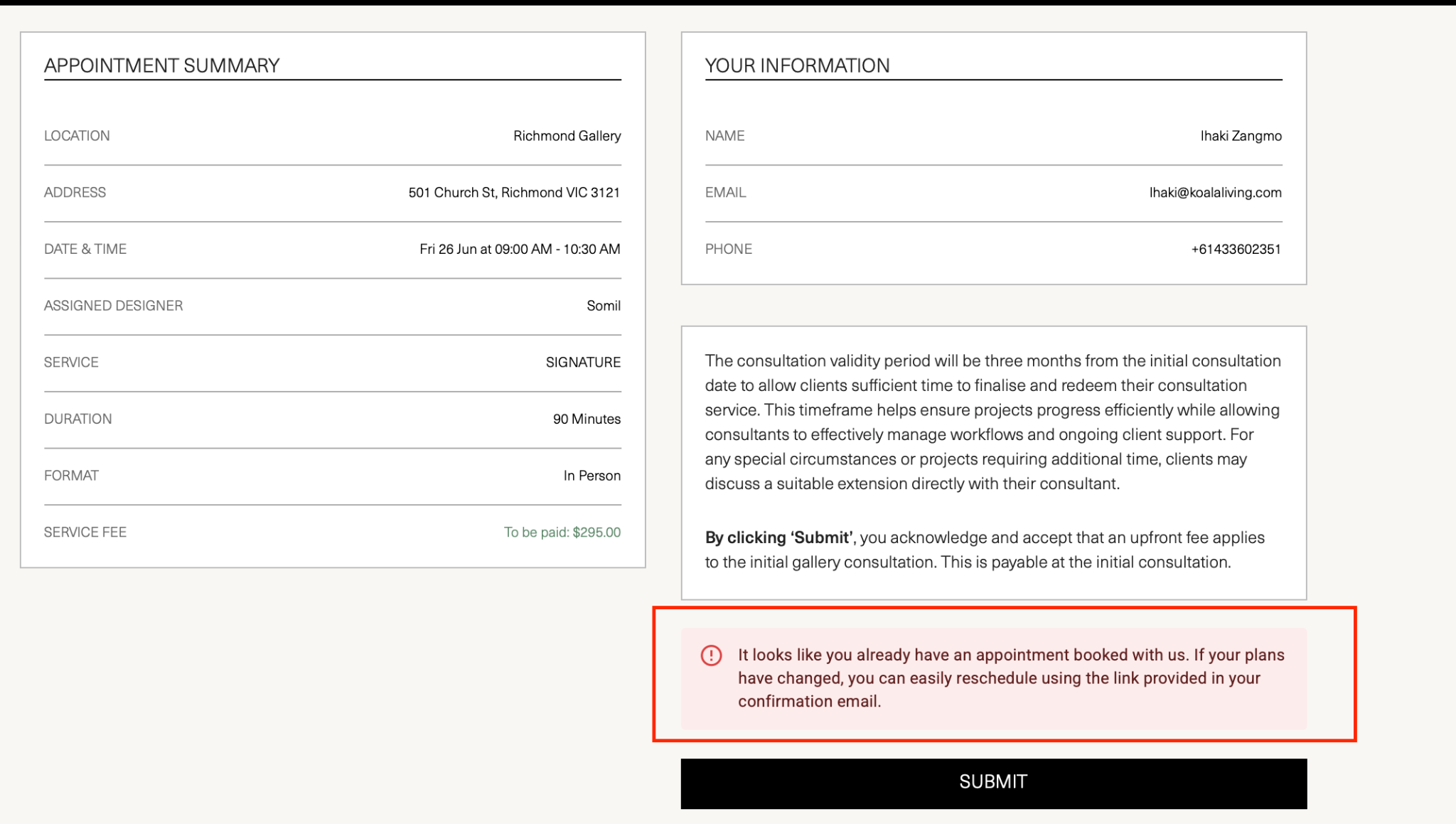
5. Managing a Booking
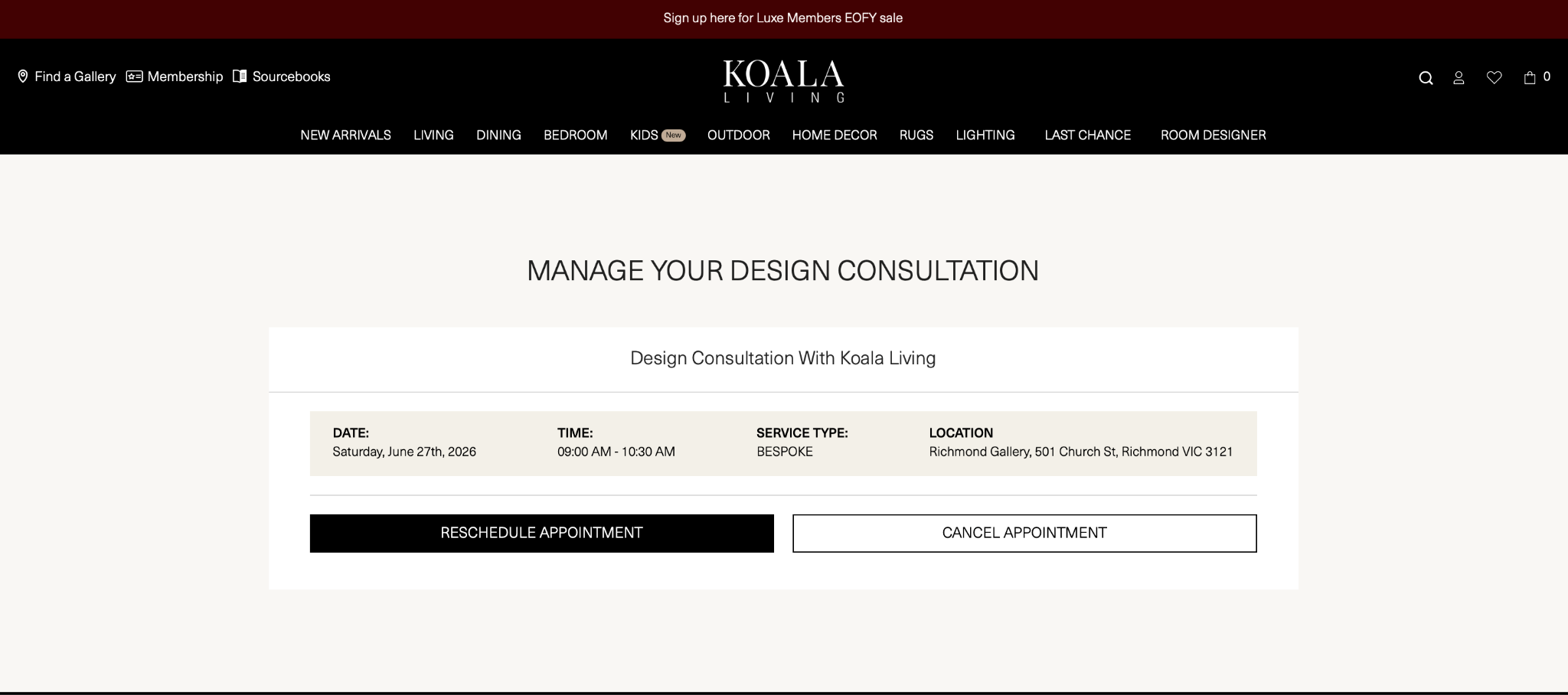
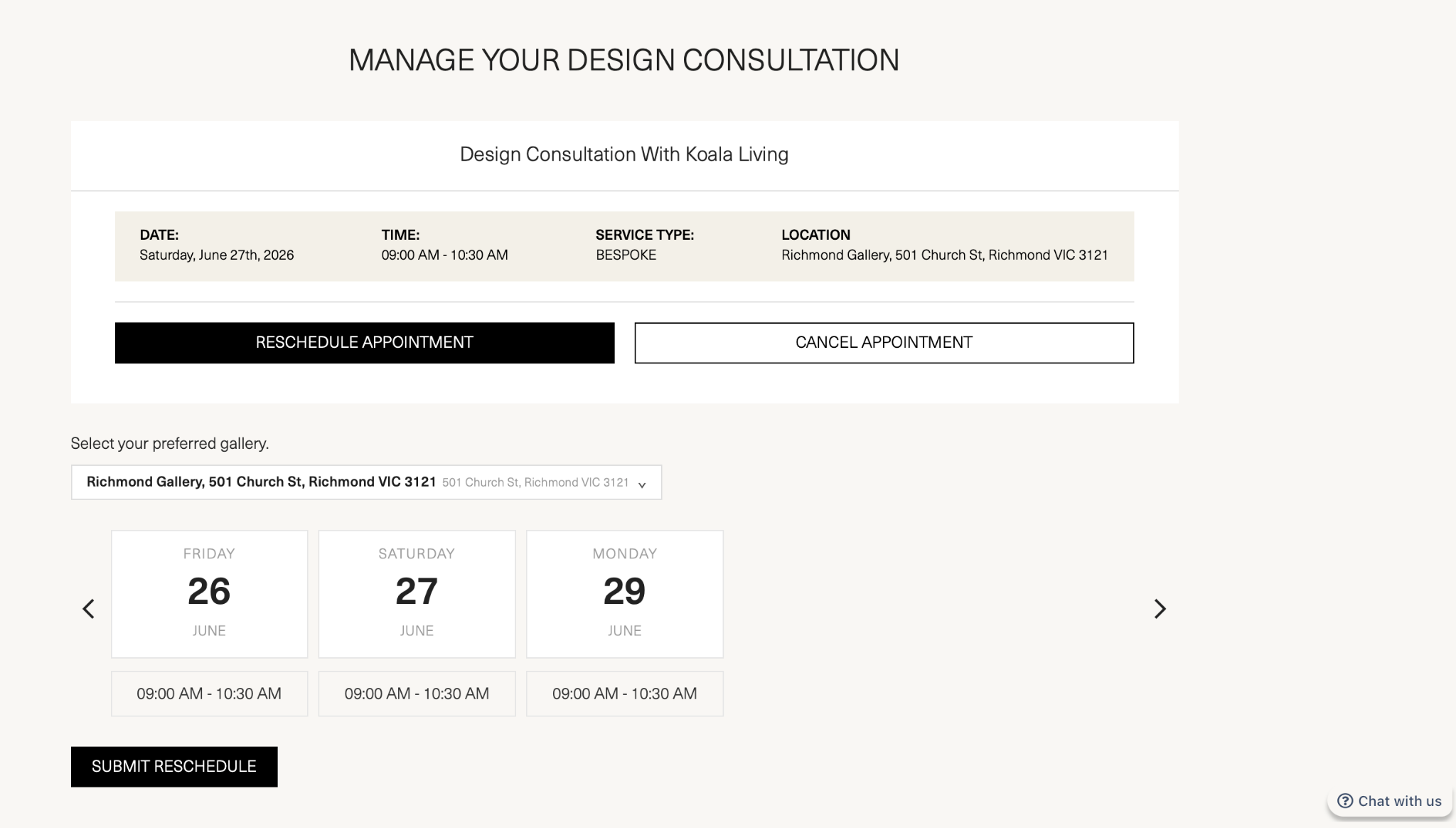
Customers can manage their booking at any time using the unique link provided in their confirmation email. Clicking the link takes them to a booking management page where they can choose to:
Reschedule their appointment
Cancel their appointment
5.1 Cancellation
If the customer clicks Cancel:
A cancellation confirmation is shown on the web page.
A cancellation confirmation email is sent to both the customer and the assigned designer.
The cancelled slot becomes available again on the calendar for other customers to book.
>Web cancellation page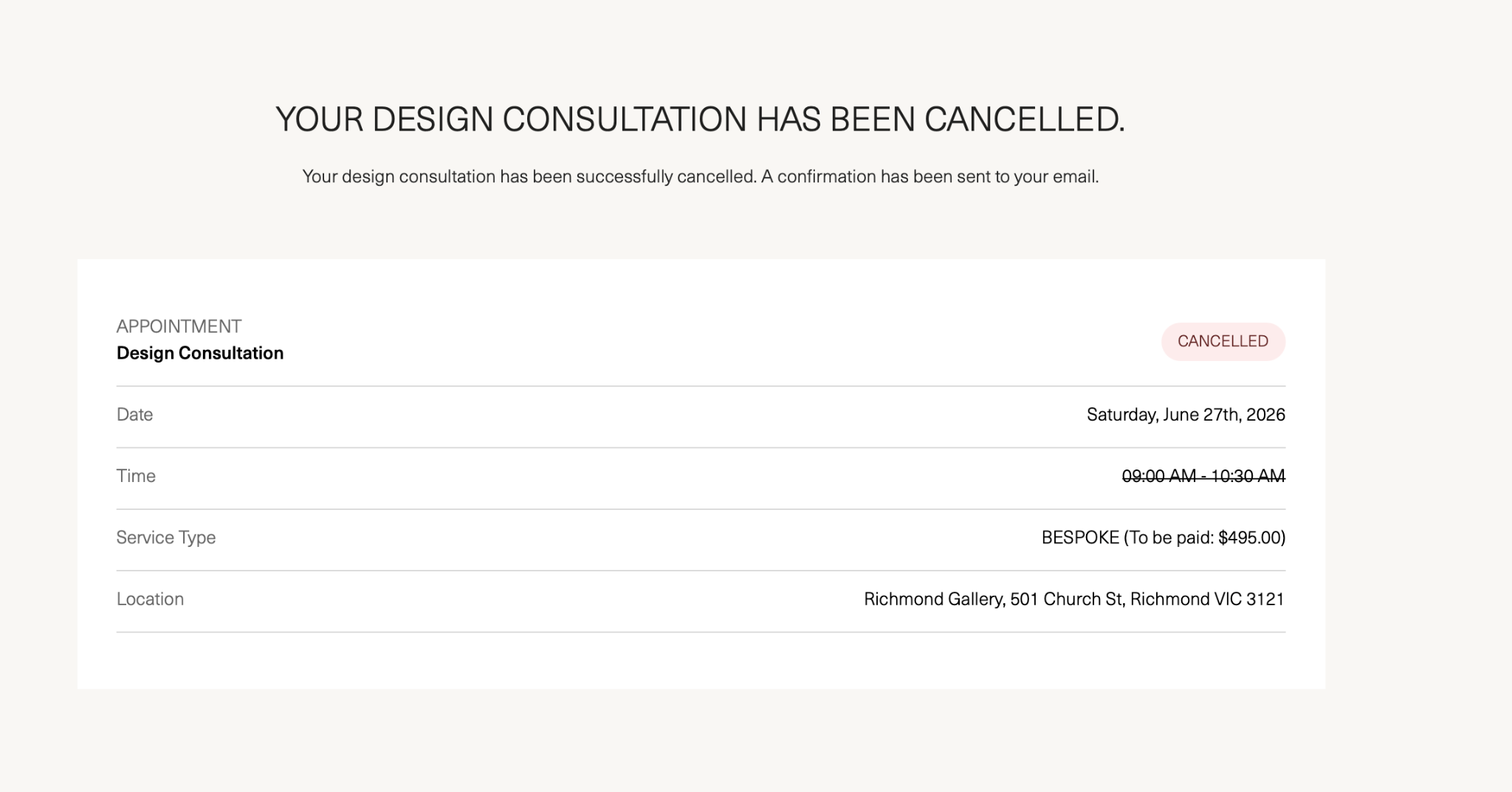
>Cancellation email 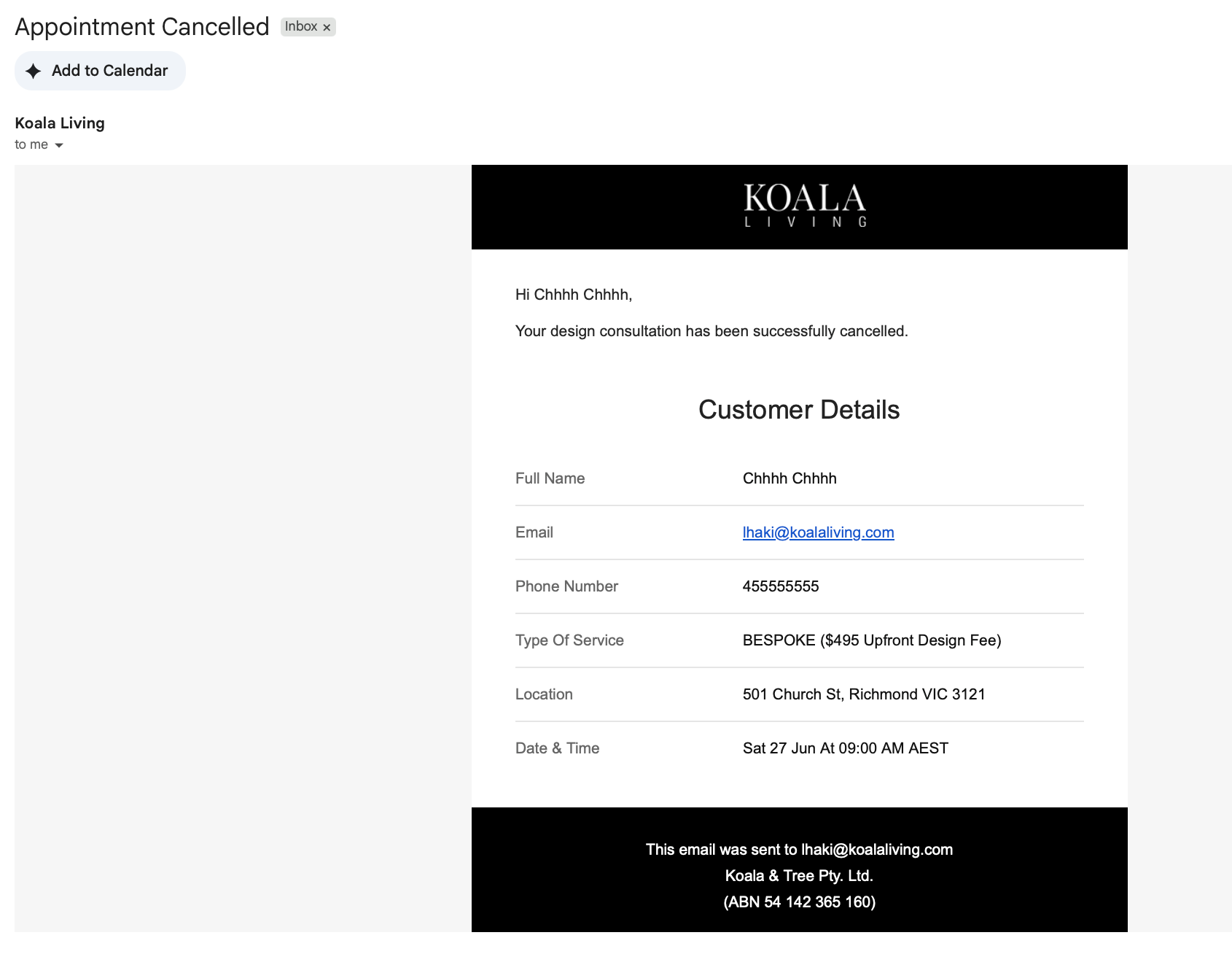
5.2 Rescheduling
If the customer clicks Reschedule:
The customer is taken to the calendar to select a new available date and time.
Once rescheduled, the previously selected appointment date becomes available again for other customers to book.
A rescheduling confirmation email is sent to both the customer and the assigned designer.
6. SMS Reminder
An automated SMS reminder is sent to the customer 48 hours before their scheduled appointment. Below is the SMS content:
>The unique link in the SMS allows the customer to reschedule or cancel their booking directly, without needing to locate their original confirmation email.
TERMS AND CONDITIONS
Koala Living Design House: By booking our interior design consultation, you agree to the following terms.
Each appointment is scheduled for 1.5 hours, and a consultation fee is payable at the time of your initial gallery visit. This fee is non-refundable and fully redeemable against qualifying purchases made within three months of your consultation date, provided the customer meets the minimum spend required to credit the fee.
Deluxe delivery, site visits and full styling of the home are available for the Bespoke package within our standard delivery areas only, but do not include wall mounting, hanging of artworks, mirrors, lightings, or any work requiring a qualified tradesperson. All design advice and layout guidance are professional recommendations only, you remain responsible for engaging qualified tradespeople for any installation, electrical, structural, or specialised work.
We reserve the right to modify, substitute, reschedule or withdraw the consultation service where operational, logistical, safety, staffing, or geographical limitations apply, and will notify you promptly should this affect your booking.